Finn
Receipt Tracker
Scan a receipt. Check the numbers. Done.
Finn reads your paper and emailed receipts right on your iPhone, keeps them
organized, and exports clean spreadsheets whenever you need them. No
accounts. No subscriptions. Nothing leaves your device.
What It Does
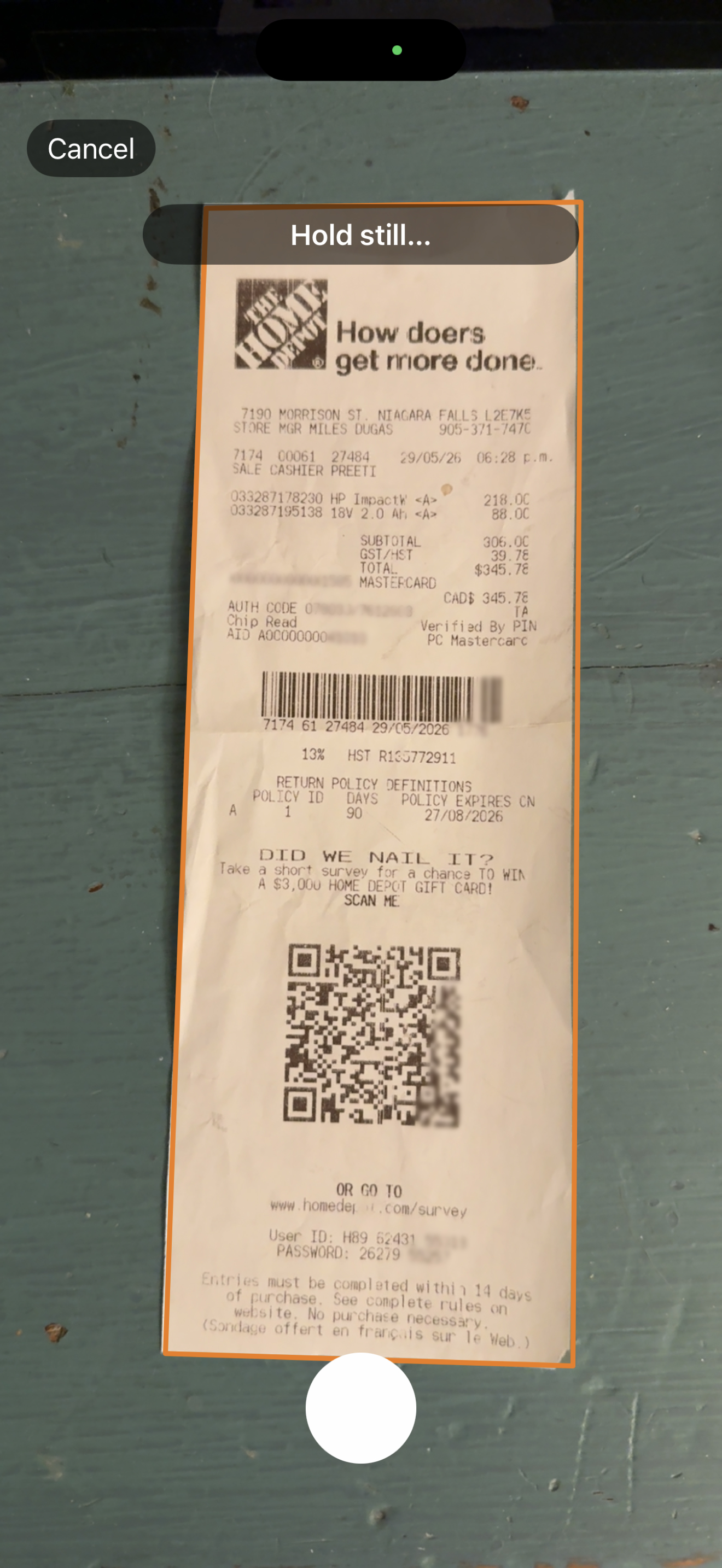
Point your camera at a receipt and Finn finds it, captures one clean shot, and pulls out the date, merchant, subtotal, tax, and total — all on your phone, in a second or two. You check the numbers, tap Save, and it's filed.
That's the whole idea: the fastest way from a shoebox of paper to a tidy, searchable, exportable record — without signing up for anything or handing your spending history to a company.
Where Finn Came From
Finn started to solve a problem. My wife wanted a simple way to keep track of receipts without signing up for some big expense platform, making another account, or paying a monthly fee just to photograph a piece of paper. So I built her one.
Once it existed, it seemed a shame not to share it. If you've been after the same thing, a plain, private way to scan a receipt and get a spreadsheet out the other end, here it is, free. Use it if it's useful to you.
A bit of honesty so nobody's surprised: Finn is a small side project, not a company. It does what it does, and it does it well, but it's just me, and I'm not planning to grow it into something big or run a support desk. If a simple, no-strings tool is what you're looking for, you're in the right place.
Features
Scan anything
Auto-capture camera — line up the receipt and Finn takes exactly one clean, cropped shot. No fumbling with the shutter.
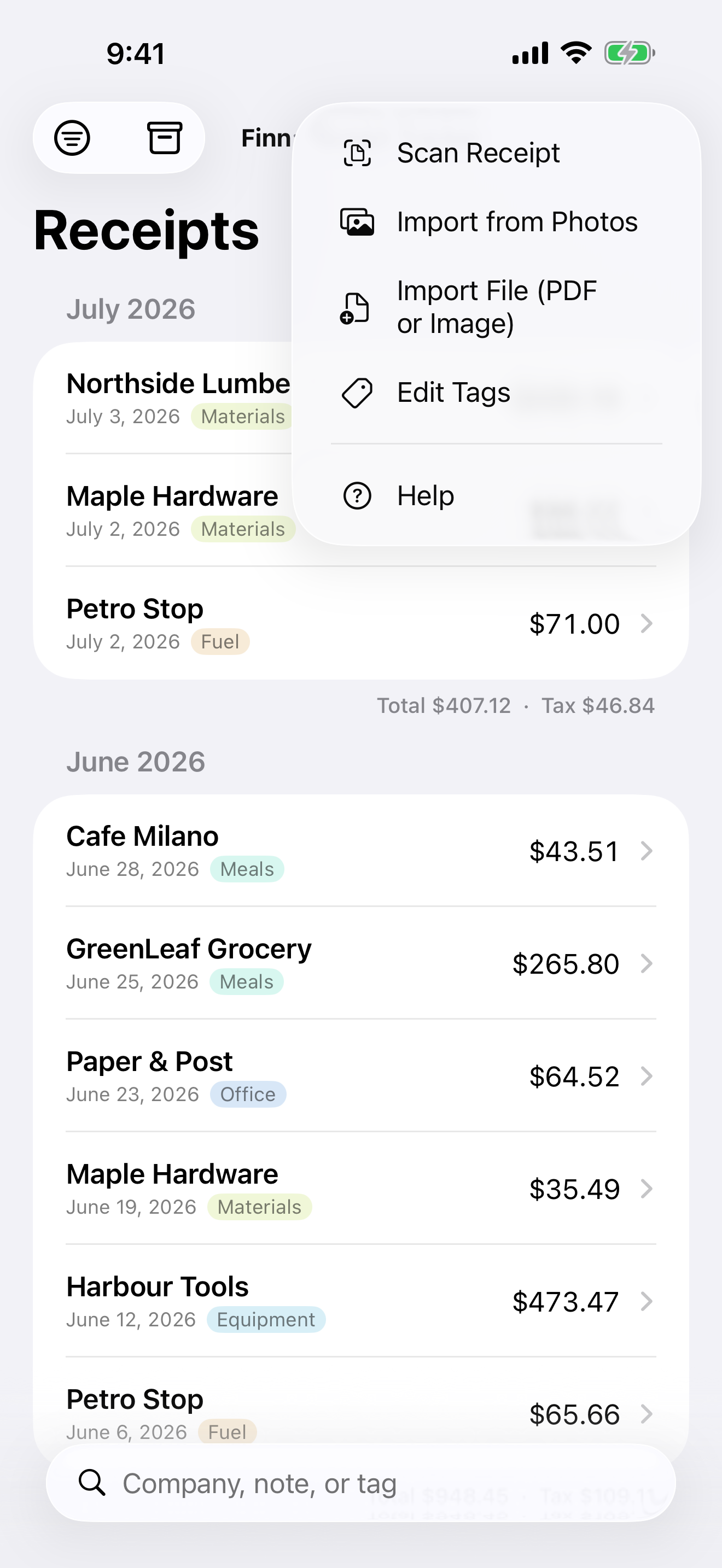
Import from Photos — got a picture already? Bring it in, several at a time.
Import PDFs — emailed invoices work too. Multi-page PDFs flow through the same reader as a photo.
On-device text recognition fills in the fields and flags anything worth a second look.
Stay organized
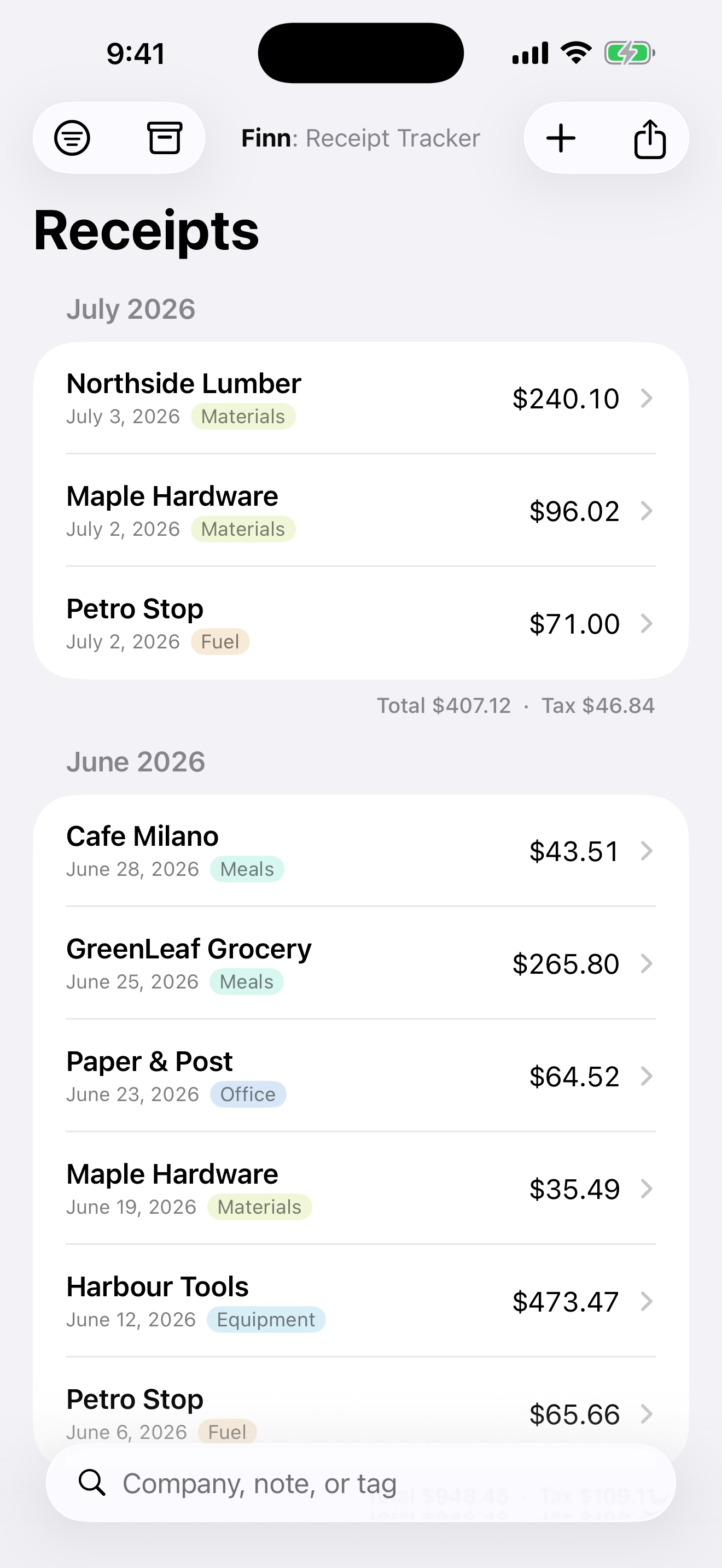
Colored tags — label each receipt (Materials, Meals, Fuel, whatever you need) and give each tag its own color for a glance-and-know list.
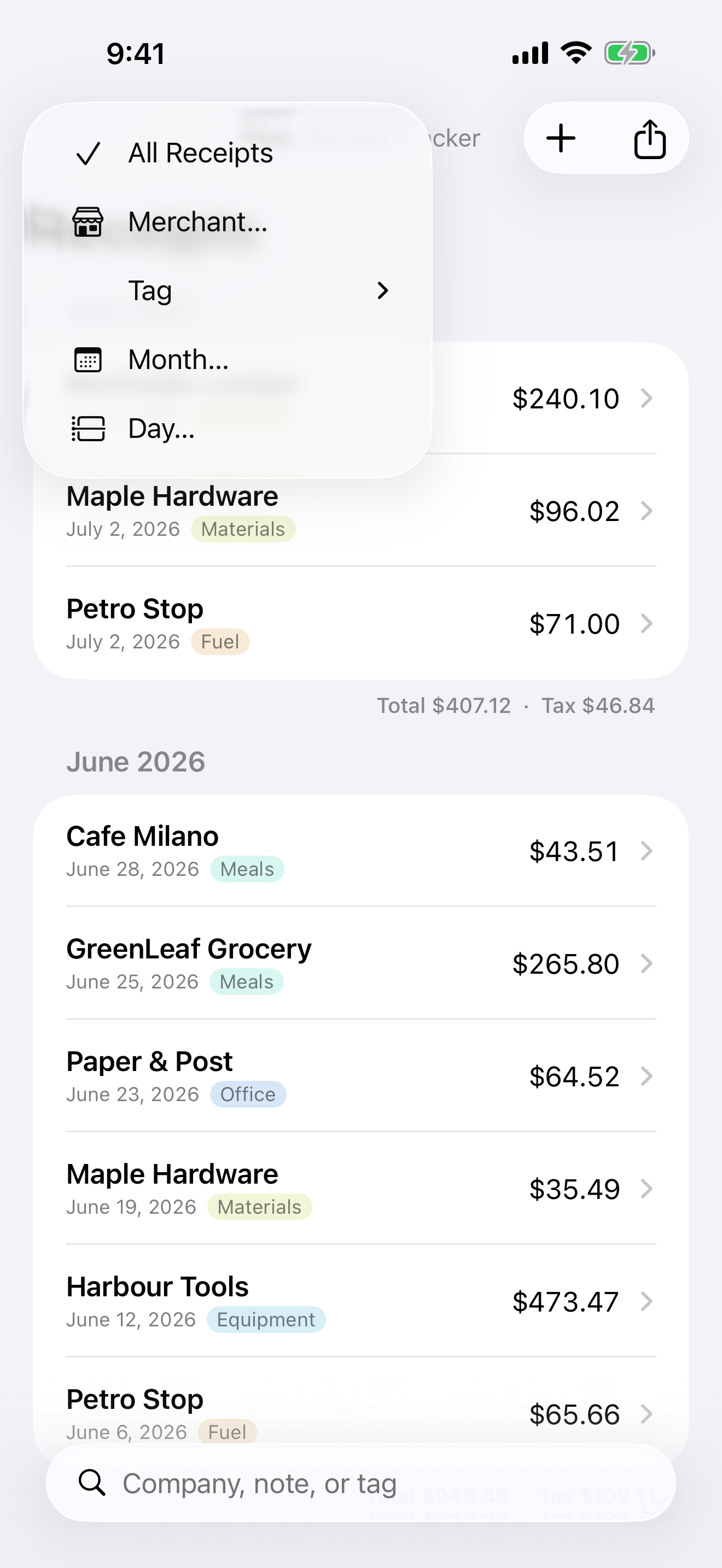
Powerful filters — narrow by tag, merchant, month range, or a single day. The merchant filter matches any part of a name, so "home" catches every variation in one go.
Monthly totals — see each month's spend and tax right in the list.
Search by company, note, or tag.
Export real spreadsheets
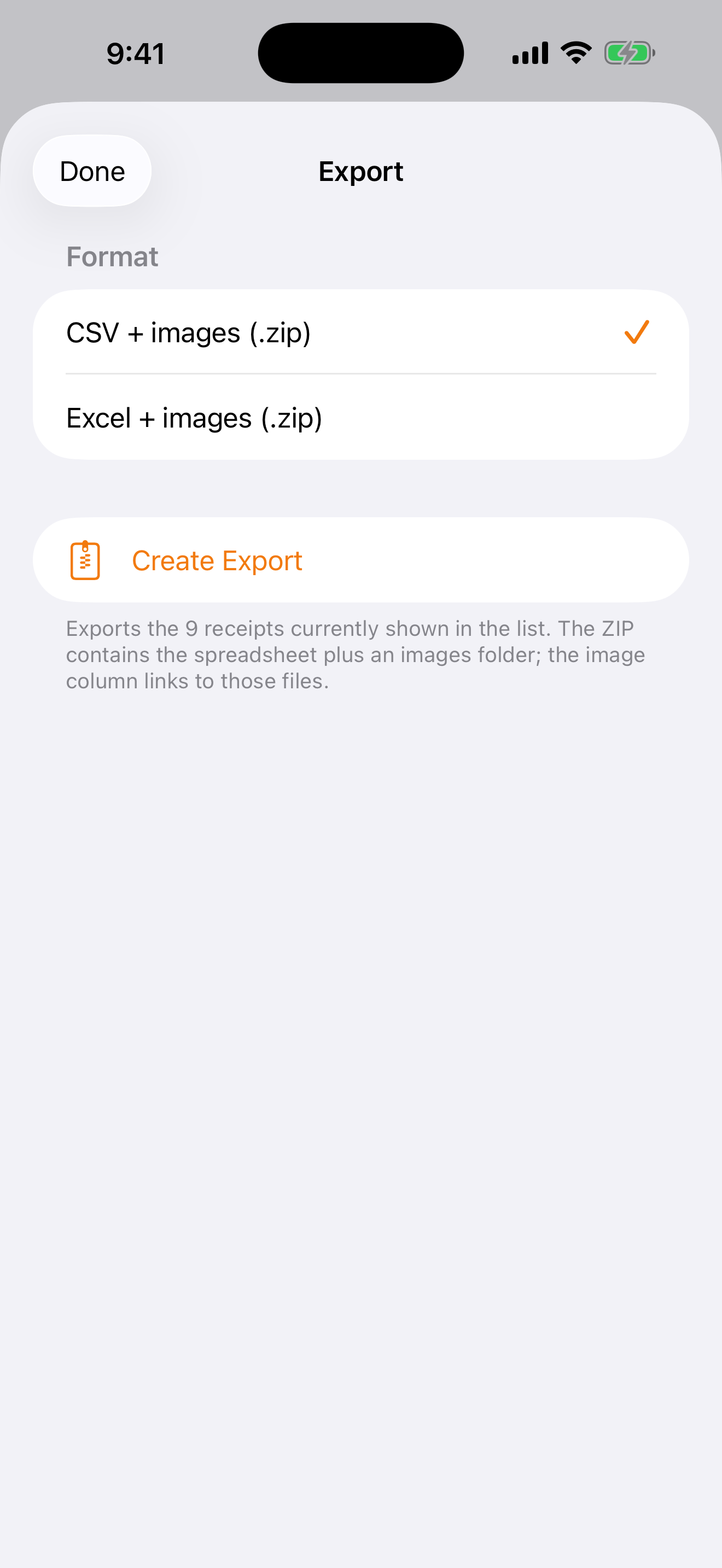
Choose CSV or Excel.
You get a ZIP with the spreadsheet plus an images folder — and the spreadsheet's image column links to each receipt photo.
Exports exactly what's on your screen, filters included. Perfect for tax time or handing off to a bookkeeper.
Check it in a tap
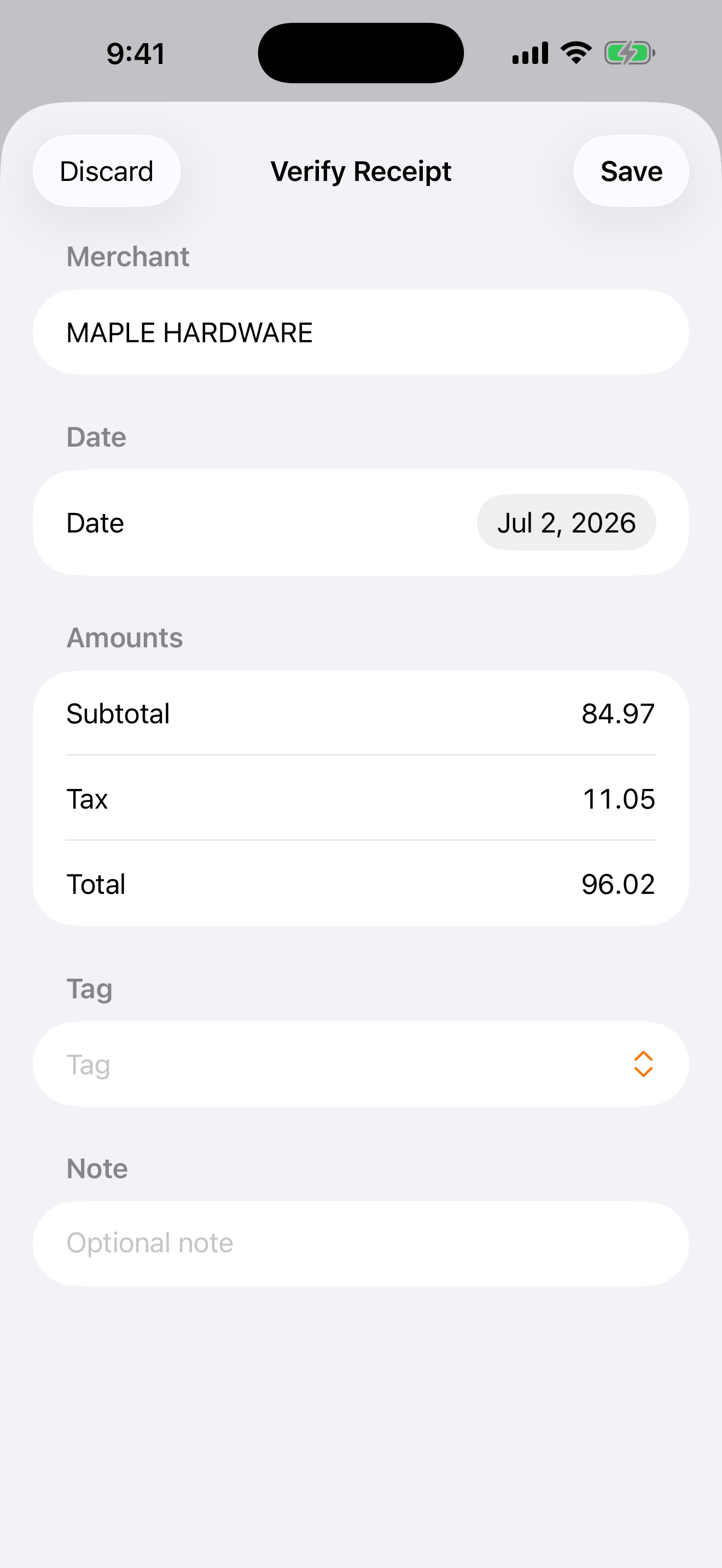
Finn shows you what it read:
Date, Merchant, Subtotal, Tax, Total
With a gentle orange flag on anything it wasn't sure about. Every field is editable.
You're always in control of what gets saved.
Archive the past
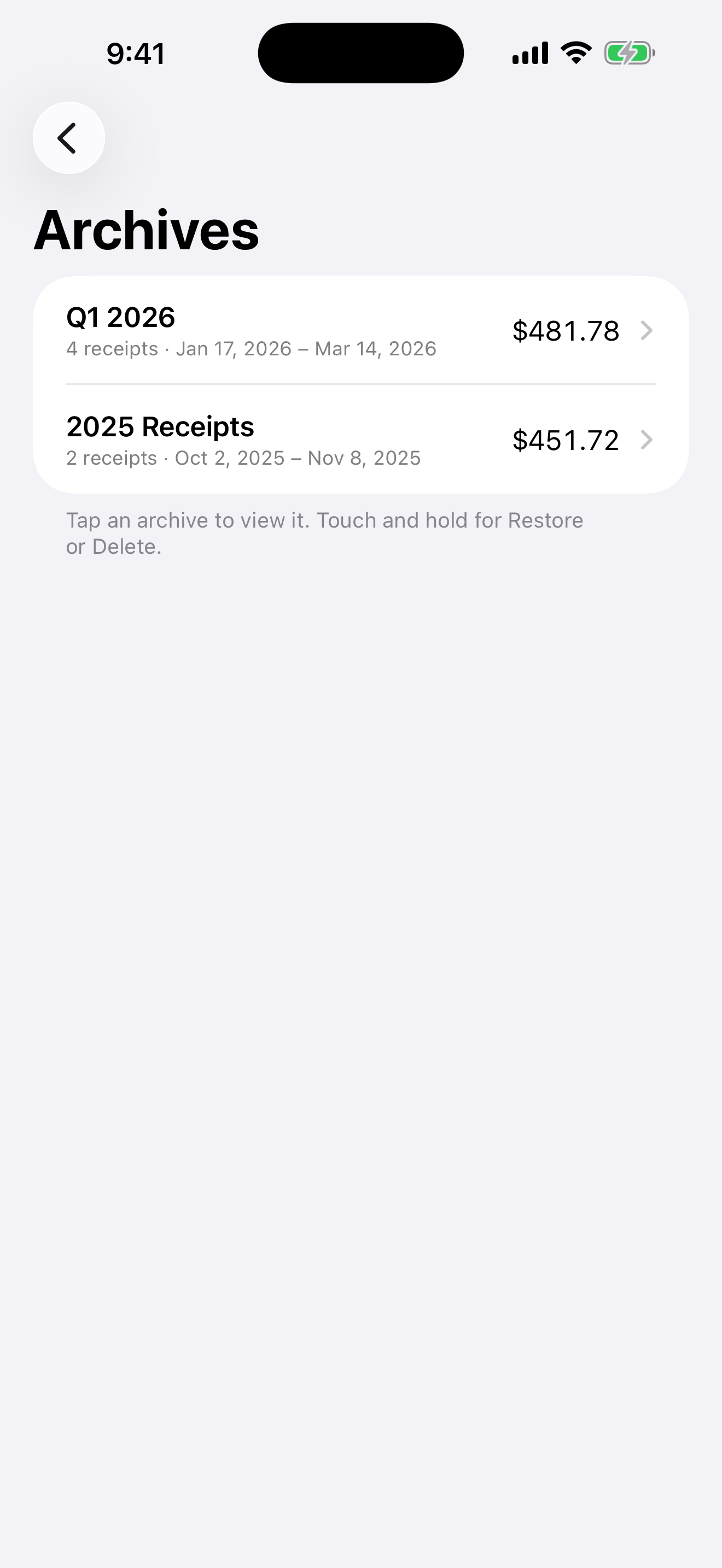
Filter to a year, a tag, or a merchant and archive the whole list under a name.
Archived receipts leave your main list but stay on your phone. Browse, export, restore, or delete them anytime.
Last year's taxes, filed away and out of your way.
PRIVATE BY DESIGN
Finn was built to keep your data yours:
All text recognition happens on your device, nothing is uploaded to read your receipts.
No accounts, no analytics, no ads, no tracking. There's nothing to sell because we never have your data.
Optional iCloud sync uses your own Apple account, so your receipts back up and follow you to your next phone — still never passing through us.
ABOUT THE NAME
Finn is named after Finnigan, one of our family dogs.
He was an Australian Shepherd mix who loved to herd anything he could. Since this app helps gather, organize, and keep track of receipts, naming it after him felt like the perfect fit.
Finn is made by DaveRig Design — [daverigdesign.com]
SUPPORT
Got a question or ran into a snag?
Email [dave@daverigdesign.com]. I read what comes in and I'll help when I can — just know Finn's a side project, so I can't promise a fast reply.
A few common questions:
Do I need an account?
No. Finn works the moment you open it — there's no sign-up, ever.
Where are my receipts stored?
On your device. If you turn on iCloud, they also sync through your own iCloud account. We never see them.
Can I move my data to a computer?
Yes — export a CSV or Excel file (with the images) anytime and open it anywhere.
Does it cost anything?
No — Finn is free, with no subscriptions and no in-app purchases.
PRIVACY
Finn is a receipt-tracking app made by DaveRig Design. This policy is short because the honest answer to "what do you do with my data?" is: nothing — we never have it.
What Finn collects: Nothing. Finn has no accounts, no sign-in, no analytics, no ads, and no tracking of any kind. We do not collect, receive, store, sell, or share any personal information or usage data. There are no third-party SDKs in the app.
Where your receipts live: Everything you save in Finn — receipt images, amounts, dates, merchant names, tags, and notes — is stored on your device. Text recognition happens entirely on your device using Apple's built-in Vision technology. Nothing is uploaded to us or anyone else to process your receipts.
iCloud sync (optional): If iCloud is enabled on your device, Finn can sync your receipts through your own iCloud account using Apple's CloudKit, so your data backs up and follows you to a new phone. That data goes into your private iCloud database — we have no access to it. Apple's handling of iCloud data is governed by Apple's own privacy policy. If iCloud is off, Finn keeps everything local.
Camera and photo access: Finn asks for camera access only when you scan a receipt, and photo library access only when you import one. Images are used solely to create the receipt record you save. Finn never accesses your camera or photos in the background.
Exports are yours: When you export a spreadsheet, Finn creates the file on your device and hands it to the iOS share sheet. Where it goes from there is entirely your choice. We never see it.
Deleting your data: Delete a receipt, an archive, or the app itself and the data is gone from your device. If you used iCloud sync, you can also remove Finn's data from iCloud in Settings → [your name] → iCloud → Manage Account Storage.
Children: Finn does not collect data from anyone, including children.
Changes to this policy: If Finn ever changes in a way that affects privacy, this page will be updated and the effective date revised. Given the app's design — no servers, no accounts — we don't expect that.
Contact: Questions? Email dave@daverigdesign.com.